
You are using an out of date browser. It may not display this or other websites correctly.
You should upgrade or use an alternative browser.
You should upgrade or use an alternative browser.
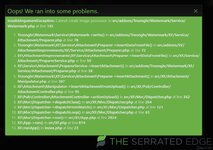
New Camera and upload error.
- Thread starter MM2K6
- Start date


Please join our community to continue reading
or



- User ID
- 3548


- User ID
- 7691
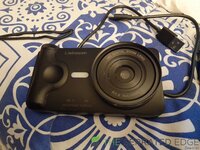
Digital camera. will try my phone. just uninstall windows updates from today... trying some moreWorks for me. Are you using a digital camera or a phone camera?



- User ID
- 18287
Maybe try convert it to a png, webp, or other format and see if it works to help narrow it down
- User ID
- 7691
fucking jesus 8000x8000 is to high for the site, it's a to high resolution.. fucking hell man!!  it is 100% this site. That's why you get the error it don't know how to do the watermark on it at that high res or something.....
  picture is the same one just not at 8000x8000
it is 100% this site. That's why you get the error it don't know how to do the watermark on it at that high res or something..... picture is the same one just not at 8000x8000Attachments

- User ID
- 7691
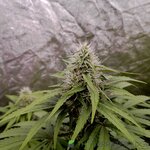
to me from this end it looks like what ever the website used to process it's images and then add the watermark fucks up if the image is to high resolution, it must have limit's. So it crashes. it gives error both ways for uploading pics to "attache files" and "Drag Drop" they are just under 9mb... the original.... not sure it's the size more the resolution



- User ID
- 2953
I just get the "file too large/server error" warning when i try to upload, but I've been getting it for the whole time I've been here haha.
Every pic I take ends up about 14-18mb. I don't even need to resize the pic, just open it up for editing and crop the tiniest bit of the image away and it somehow halves in size from removing a strip of 5 pixels lol and I can upload.
Never had the issue you've had as me pics aren't high in resolution, just really big in file size for some reason..
Every pic I take ends up about 14-18mb. I don't even need to resize the pic, just open it up for editing and crop the tiniest bit of the image away and it somehow halves in size from removing a strip of 5 pixels lol and I can upload.
Never had the issue you've had as me pics aren't high in resolution, just really big in file size for some reason..
- User ID
- 2953
Come to think about it, i dont even need to crop...pic starts out at 16mb, then I just open the edit window and change the brightness like 1% and suddenly the pic is half the size so it seems like something is going on with the editing on this phone haha.

- User ID
- 31
can't you adjust the camera settings to lower the res of the pic you take to save you the edit step ?Yep confirmed, just took a photo now, copies strait off camera, reduced size by 50% in paint and boom it's all happy. So not 8000x8000 made it 4000x4000 that's it.

Support TSE and become a TSE Community Member. All funds go directly towards monthly hosting and software costs.
